Now available on Android
Your work.
Still with you.
CrimeCode Mobile keeps your conversations and sessions within reach when you leave your desk. Sign in with the same account you use on Desktop and pick up your work on Android.
- One CrimeCode account
- Shared chats and sessions
- Made for Android
Download for Android
Official APK · Direct download · Android only

// crimecode core
Built in layers. Opened on command.
The CrimeCode mark, rendered live in your browser. Hover to split the shell along its seam, drag to spin it, click to fire a pulse through the core.
- Real-time 3D
- No plugins
- Pauses off-screen
Hover · drag · click — or focus it and use the arrow keys and Enter
// the system
Everything around the work
A workspace for exploring a project, using AI tools, and collaborating with your team.
// local-first
Local tools. Context you choose.
Desktop projects and terminal work run on your selected workspace. AI requests send the prompt and selected project context to your chosen model provider. An approved account and active license are required to access CrimeCode.
- Local files and terminal on desktop
- Account-bound access across devices
- Sign in with the same account on desktop and mobile
Card or crypto checkout
Choose Stripe-hosted card checkout or a NOWPayments crypto invoice tied to your account. Your license activates after confirmed payment. Any credit included in your offer is added to your account balance. Review the current plan price and included credit before checkout.
Investigate as a team
Invite teammates by handle, email, or an invitation link. Share sessions and cursor presence with role-based access for owners, admins, members, and viewers.
Desktop and web, same license
Use the same account on Windows, Linux, web, and Android. Sync preferences and recent-project references; access to the project itself depends on the workspace or connected host.
Terminal and AI in one session
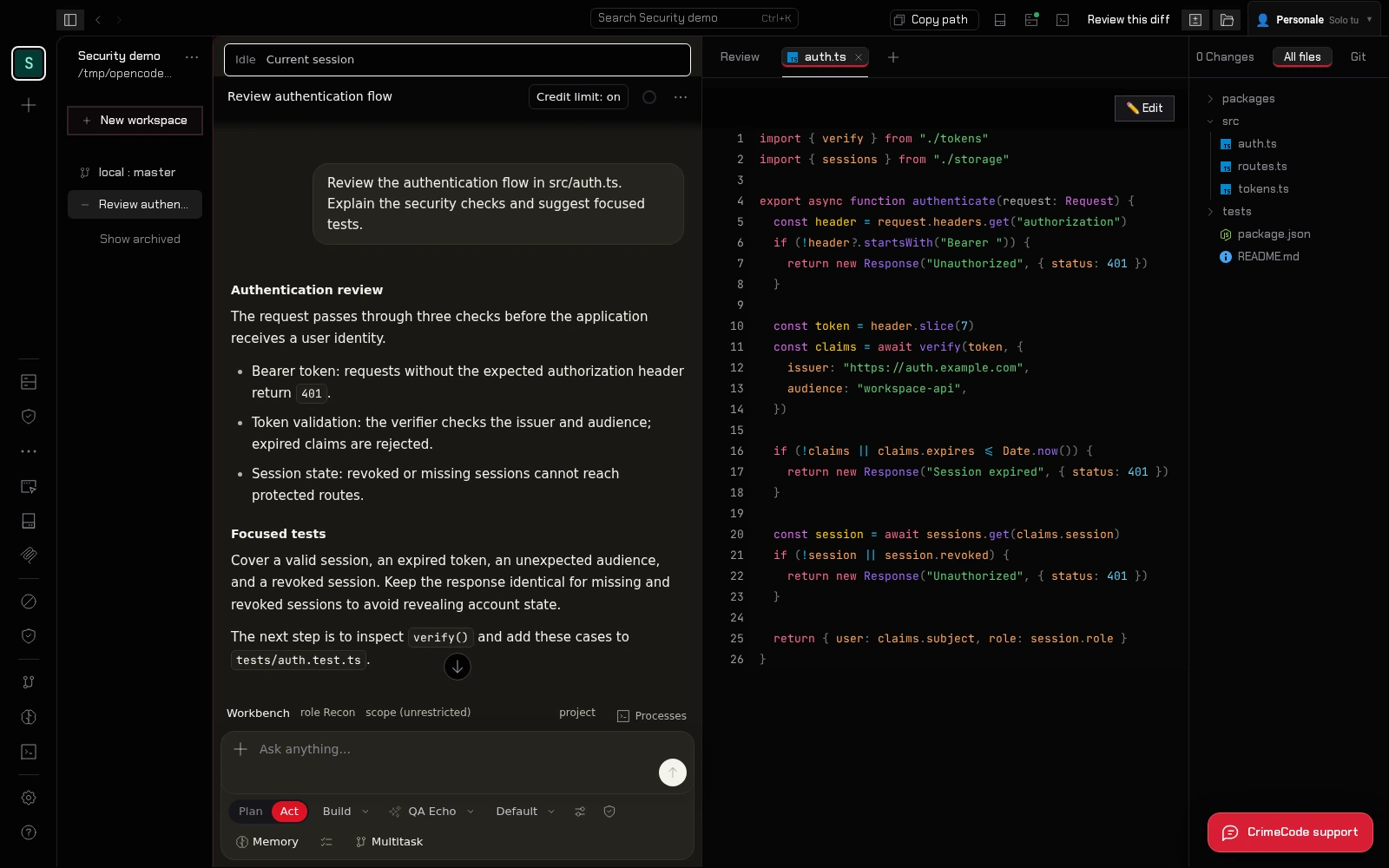
Bring the file browser, supported AI providers, session exports, and an integrated desktop terminal into your security research workflow.
Account access you can manage
Review your connected devices, revoke sessions, and keep control of who joins a shared workspace.
- Email verification and account approval
- Rate-limited sign-in
- Role-based team permissions
- Revocable device sessions
Create an account and choose a plan to get started.
// one account
Sign in once. Every surface.
The same CrimeCode account opens the Windows and Linux desktop apps, the web workspace and the Android companion. Your license is bound to that account, so there is no token to copy between devices.
- Desktop
- Windows & Linux
- Web
- app.crimecode.cc
- Mobile
- Android companion
- License
- Account-bound
// access plans
CrimeCode Pricing
Loading current prices and included credit. All plans renew manually; external providers have their own billing.
Loading current offers…
Monthly
—
Monthly access · renew manually
Loading included credit…
- ✓ AI chat and coding workflows
- ✓ Connect supported AI providers
- ✓ Telegram sign-in
- ✓ Cross-Device Cloud Sync
- ✓ Customer support
- ✓ Windows, Linux, web, and Android access
Annual access
Annual
—
One year · one-time annual charge
Loading included credit…
- ✓ All core workspace features
- ✓ One annual payment
- ✓ Manual renewal
- ✓ Same account across devices
- ✓ No automatic renewal
- ✓ Shared account credit wallet
One-time
Lifetime
—
One payment · no scheduled license expiry
Loading included credit…
- ✓ All core workspace features
- ✓ One payment, no plan renewals
- ✓ Account-bound license
- ✓ Same account across devices
- ✓ Customer support
- ✓ Shared account credit wallet
Support / walk-in only: POS terminal (QR + amount). That page does not attach a license — use Pay with Crypto so checkout creates an order first.
// deployment
Choose your device
Build on Windows or Linux, continue conversations on Android, or open CrimeCode in your browser.
Full experience
Windows app
The direct download below is the Windows x64 installer with automatic updates and a local sidecar for terminal and filesystem access.
- Windows 10/11 x64 installer
- Built-in local sidecar
- Automatic updates
- WSL support on Windows
Linux desktop
Linux app
Run CrimeCode on Linux with local project files, an integrated terminal and the same AI workspace.
- Linux x64 AppImage
- Built-in local sidecar
- Automatic AppImage updates
- Same CrimeCode account
After downloading, allow the AppImage to run as a program in your file manager, then open it.
Take it with you
Mobile app
Install the Android app and sign in with your CrimeCode account to access shared chats and sessions away from your desk.
- Direct official Android APK
- Same account as Desktop
- Shared conversations and sessions
- Scan the QR code above from your phone
// onboarding
From sign-up to licensed access
Confirm your email to activate your account, then choose a card or crypto checkout.
-
Create your account
Open the CrimeCode web app or desktop app and register with username, email and password. Open the CrimeCode email and confirm your address: the click activates your account.
-
Sign in
Keep the confirmation screen open for automatic sign-in. If you closed it, return and sign in with your username or email and password. The server checks identity, email confirmation and account activation before anything unlocks.
-
Pick a plan
Choose Monthly, Annual, or Lifetime. Pay with card (Stripe), Telegram, or Pay with Crypto — crypto opens a NOWPayments invoice for the confirmed plan amount and currency.
-
Already paid?
Just sign in with the account that purchased — the license is account-bound and unlocks automatically. No token to paste.
-
Get your license
Payment confirmed → the license lands on your CrimeCode account. The IDE unlocks on desktop, web and mobile with the same sign-in.
-
Build a team
Open the workspace menu, choose Create Team, and invite by handle, email, or a shareable link. Review each member’s role before sharing a project.
// faq
Frequently Asked Questions
Everything you need to know about CrimeCode access and policies.
How do I register and access the assistant?
An approved account and an active license are required to open the IDE. Register with an email, username, and password, verify your email, and sign in after approval. You can also continue with Telegram.
What payment methods do you accept?
Pay by card through Stripe, or Pay with Crypto to open a NOWPayments invoice tied to your account. The invoice lists the supported currencies and payment instructions. Your license is issued after payment confirmation; timing depends on the payment provider and network.
Can I pay on the NOWPayments POS terminal?
Only for support-assisted or walk-in amounts. The POS page does not create a CrimeCode order, so a license is not issued automatically. Sign in and use Pay with Crypto for licensed checkout.
Can I get a refund?
Is my chat history and code kept private?
CrimeCode does not use your code or conversations to train models. Your selected deployment and model provider determine where requests are processed; see the Privacy Policy for stored account and sync data.
Does CrimeCode support local execution or integration?
The desktop workspace supports local tools and configurable MCP integrations. Connect supported AI providers through their APIs; available models and usage costs depend on the provider you choose.
Are AI model costs included in the access plan?
The current offer shows included model credit before purchase. Included purchased credit works with the CrimeCode Uncensored models, never resets monthly and does not expire. Additional usage requires a top-up; third-party providers have their own billing.
Knowledge is power. Code is freedom.
Ready to dig in?
Create an account, complete approval, and choose a plan. Your license follows the same account across devices.